Showing posts with label powerpoint. Show all posts
Showing posts with label powerpoint. Show all posts
Wednesday, March 4, 2015
Effective Teaching with PowerPoint A Learning Theory Approach
Link to resource (By David M. Antonacci)
"This presentation examines teaching and learning from an information-processing perspective, using the events of instruction developed by Robert Gagne. It shows you how to apply these ideas to developing PowerPoint presentations that effectively support instruction. It also presents many example slides highlighting important instructional capabilities of this technology."
Gagnes Nine Events of Instruction:
"This presentation examines teaching and learning from an information-processing perspective, using the events of instruction developed by Robert Gagne. It shows you how to apply these ideas to developing PowerPoint presentations that effectively support instruction. It also presents many example slides highlighting important instructional capabilities of this technology."
Gagnes Nine Events of Instruction:
- Gaining Attention - Reception. Use abrupt stimulus change.
- Informing Learner of the Objective - Expectancy. Tell learners what they will be able to do after learning.
- Stimulating Recall of Prior Learning - Retrieval to Working Memory. Ask for recall of previously learned knowledge or skills.
- Presenting the Stimulus - Selective Perception. Display the content with distinctive features
- Providing Learning Guidance - Semantic Encoding. Suggest a meaningful organization.
- Eliciting Performance - Responding. Ask learner to perform.
- Providing Feedback - Reinforcement. Give informative feedback.
- Assessing Performance - Retrieval and Reinforcement. Require additional learner performance with feedback.
- Enhancing Retention and Transfer - Retrieval and Generalization. Provide spaced reviews and varied practice.
you master these nine events of instruction in your PowerPoint (Breeze) presentations you have basically mastered the Instructional Design component . Though, you still need some creativity to really gain the learners attention.

Tuesday, March 3, 2015
How to Recolor an Image in PowerPoint
This weeks poll had a clear cut winner... how to recolor an image in PowerPoint!

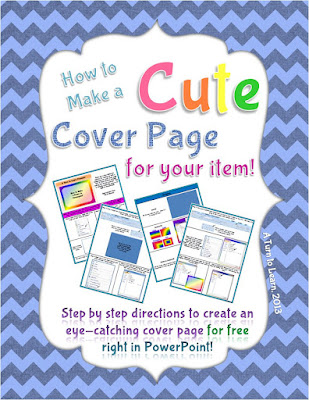
I actually wrote this tutorial months ago (back in March 2013, yikes!) for my TPT book "How to Make a Cute Cover Page for Teachers Pay Teachers." This item organizes some of my most important tutorials in a way that is easy to follow and prints perfectly on letter paper. If you like this tutorial or my other tutorials, be sure to check out this product on TPT!
Anyway, onto the poll!



For next weeks tutorial, Ill be adding "How to Create a One Page Folding Book" to the poll (just like the one below). Be sure to vote!


Read more »
I actually wrote this tutorial months ago (back in March 2013, yikes!) for my TPT book "How to Make a Cute Cover Page for Teachers Pay Teachers." This item organizes some of my most important tutorials in a way that is easy to follow and prints perfectly on letter paper. If you like this tutorial or my other tutorials, be sure to check out this product on TPT!
Anyway, onto the poll!
If you have an older version of PowerPoint or are looking for more color customization options, be sure to check out the tutorial below:
You can download this tutorial as a PDF by clicking this picture!
Note: This tutorial is hosted on Google Drive. To save it from there, just open the file and click File > Download to save onto your computer!
For next weeks tutorial, Ill be adding "How to Create a One Page Folding Book" to the poll (just like the one below). Be sure to vote!
Sunday, February 1, 2015
Free PowerPoint 2007 tutorials
There are numerous free resources available for PowerPoint 2007on the internet using which not only you can learn the basics like "How to create your first presentation?" but also the advance things like "How to use advance animation effects?".
Here are some of the presentations which cover some of these topics and may help you in big way in the use of PowerPoint 2007.
Also see "How to switch from 2003 to PowerPoint 2007?" and "PowerPoint 2010 free learning resources".
Here are some of the presentations which cover some of these topics and may help you in big way in the use of PowerPoint 2007.
What is PowerPoint 2007?
How to use ribbon in PowerPoint 2007?
PowerPoint Keyboard Shortcuts
Learn PowerPoint 2007 Animation Effects
Whats the difference between embedded and linked media
Subscribe to:
Posts (Atom)