

Showing posts with label the. Show all posts
Showing posts with label the. Show all posts
Thursday, March 12, 2015
The Hottest Script in Hollywood
In just a few hours at the recent Apps Script hackathon in Los Angeles, we saw attendees build everything from website monitoring to room booking to financial tracking apps. For those of you who couldn’t make it, attendees were given a brief introduction to Apps Script and a few hours to let their imaginations run wild. Apps Script’s ease of use enabled them to quickly create fully functioning, useful apps. Here are a few interesting things we saw from local developers:
Website Monitor by Eduardo Arino de la Rubina
These days, small businesses are quickly increasing their online presence; a website outage during a critical period can be devastating to a mom-and-pop shop. Eduardo realized that existing network-monitoring solutions require a significant investment in technology and infrastructure that is beyond the reach of many small-business users. Using Apps Script’s UrlFetch and Spreadsheet services, he was able to quickly create a website monitor packaged in an easy-to-use spreadsheet that, given a list of URLs, tries to fetch each one and records the latency and content length.
The code is available here.

Get A Room by Danny Favela
Get A Room allows users to book meeting rooms by taking advantage of Apps Script’s tight integration with Google Calendar and events. The app, built entirely on a Chromebook utilizing Apps Scripts cloud friendliness, displays building floorplans with buttons that users can click to book a room. In response to a booking request, the app fetches the room’s calendar and creates a new event. It also updates the UI by replacing the floor plan with a modified image to show the newly booked room. Here is a snippet of the booking code:
// Click handler for the interaction to book a room
function bookBoardroomHandler(e) {
 var app = UiApp.getActiveApplication();

 // Perform the calendar-booking operations
 bookBoardroom();

 // Swap the images as visual confirmation
 app.remove(app.getElementById(imageDefaultLayout));
 app.add(app.getElementById(imageBoardroom));

 app.close();
 return app;
}

function bookBoardroom(e) {
 var calendarBoardroom = CalendarApp.getCalendarsByName("Boardroom");
 calendarBoardroom[0].createEventFromDescription("Boardroom Meeting");
}

Stock Info by Matt Kaufman
Matt decided to build a web service that provides information about publicly traded stocks. The app’s backend consists of a spreadsheet with stock symbols of interest. Using Apps Script’s FinanceService, Matt loops through the spreadsheet on a timed trigger and appends the latest stock information for each symbol. He then uses HtmlService to create a web app that outputs an XML page of the stock info based on a symbol parameter in the URL. Here’s a picture of his script in action:

These are just some examples of how quickly useful apps can be created with Apps Script. Thanks to all the attendees for coming out! If you couldn’t make it to the hackathon, check out these tutorials to see how you can get started making great apps.
 | Kalyan Reddy profile | Stack Overflow Kalyan is a Developer Programs Engineer on the Google Apps Script team based in NYC. He is committed to increasing developer productivity by helping them fully utilize the power of Apps Script. In his free time, he enjoys participating in the Maker community and hacking together robots. |
Analytics reporting with Google Apps Script at the UK Cabinet Office
Editor’s Note: Guest author Ashraf Chohan works at the Government Digital Service (GDS), part of the UK Cabinet Office. -- Arun Nagarajan
Recently, when we were preparing the launch of GOV.UK, my team was tasked with creating a series of high-level metrics reports which could be quickly compiled and presented to managers without technical or analytical backgrounds. These reports would be sent daily to ministers and senior civil servants of several government departments, with the data customised for each department.
We decided to use Adobe InDesign to manage the visual appearance of the reports. InDesign’s data-merge functionality, which can automatically import external data into the layout, made it easy to create custom departmental reports. The challenge was to automate the data collection using the Google Analytics API, then organize the data in an appropriate format for InDesign’s importer.
In a previous post on this blog, Nick Mihailovski introduced a tool which allows automation of Google Analytics Reporting using Google Apps Script. This seemed an ideal solution because the team only had basic developer knowledge, much of the data we needed was not accessible from the Google Analytics UI, and some of the data required specific formatting prior to being exported.
We started by building the core reports in a Google spreadsheet that pulls in all of the required raw data. Because we wanted to create daily reports, the start and end dates for our queries referenced a cell which defaulted to yesterday’s date [=(TODAY())-1].

These queries were dynamically fed into the Google Analytics API through Apps Script:
// All variables read from each of the “query” cells
var optArgs = {
    dimensions: dimensions,
    sort: sort
    segment: segment
    filters: filters,
    start-index: 1,
    max-results: 250
  };

  // Make a request to the API.
  var results = Analytics.Data.Ga.get(
      tableId,                  // Table id (format ga:xxxxxx).
      startDate,               // Start-date (format yyyy-MM-dd).
      endDate,                 // End-date (format yyyy-MM-dd).
      endDate,                 // Comma seperated list of metrics.
      optArgs);
Next, we created additional worksheets that referenced the raw data so that we could apply the first stage of formatting. This is where storing the data in a spreadsheet really helps, as data formatting is not really possible in the Google Analytics UI.
For example, the final report had a 47-character limit for page titles, so we restricted the cells in the spreadsheet to 44 characters and automatically truncated long URLs by appending “...”.

Once the initial formatting was complete, we used formulas to copy the data into a summary sheet specially laid out so it could be exported as a CSV file that merges seamlessly into InDesign.

Below is an example of how a report looks on publication. Nearly everything on the page was extracted from the API tool, including the department name and the day number. Because most of the data was automated, it required minimal effort on our part to assemble these reports each morning.

We discovered that an added bonus of pulling data into a Google spreadsheet was that it also allowed us to publish the data to a Google site. This helped us display data to stakeholders without adding lots of users to our Google Analytics account.

The tools let us present Google Analytics data in deeper, more creative ways. That’s really important as we share information with more and more non-technical people, whether they’re inside GDS or beyond.
 | Ashraf Chohan Guest author Ashraf Chohan works at the Government Digital Service (GDS), part of the UK Cabinet Office. GDS’s role is to deliver digital transformation of government services. Ashraf is a Product Analyst for GOV.UK, a new site for public services and information. |
Introducing the next version of the Google Calendar API!
The Google Calendar API is one of Google’s most used APIs. Today, we’re rolling out a new version of the API that will give developers even more reasons to use it. Version three of the Google Calendar API provides several improvements over previous versions of the API:
- Lightweight resource representation in JSON
- Consistent and comprehensive reference documentation
- Improved support for recurring events
- Ability to manipulate default reminders on calendars
- Access to the new UI and event colors
Developers familiar with the Google Tasks API will feel right at home with Calendar API v3, as it uses similar syntax and conventions, as well as the same base client libraries. These Google-supported client libraries, based on discovery, are available in many languages with:
- Straightforward development for mobile using the client libraries for Java and Objective-C
- Native support for OAuth 2.0
- Native partial and PATCH support
If you’re new to the Google Calendar API, getting started is easy. Check out the Getting Started Guide, which will walk you through the basic concepts of Google Calendar, the API, and authorization. Once you’re ready to start coding, the Using the API page will explain how to download and use the client libraries in several languages.
If you’d like to try out some queries before you start coding, check out the APIs Explorer and try out some example queries with the new API.
Developers already using older versions of the API can refer to our Migration Guide. This interactive guide offers side-by-side examples of the API in v2 and v3 flavors across both the protocol and multiple languages. Simply hover over the code in v2 (or v3) and see the equivalent in the other version.
With our announcement of v3 of the API, we’re also announcing the deprecation of the previous versions (v1 and v2). The older versions enter into a three year deprecation period, beginning today, and will be turned off on November 17, 2014.
We’d love to hear your feedback on the Google Calendar API v3. Please feel free to reach out to us in the Google Calendar API forum with any questions or comments you have. We’ll also be hosting live Office Hours (via Google+ Hangout) on 11/30 from 8am-8:45am EST to discuss the new API. We hope to see you then!
 | Dan Holevoet profile Dan joined the Google Developer Relations team in 2007. When not playing Starcraft, he works on Google Apps, with a focus on the Calendar and Contacts APIs. Hes previously worked on iGoogle, OpenSocial, Gmail contextual gadgets, and the Google Apps Marketplace. |
 | Alain Vongsouvanh profile Alain is a Developer Programs Engineer for Google Apps with a focus on Google Calendar and Google Contacts. Before Google, he graduated with his Masters in Computer Science from EPITA, France. |
Tuesday, March 10, 2015
Allowing the user to select Google Drive files from your application
If your application needs a way to let users easily choose a file from their Drive, this is for you.
Users can browse and select files from their Drive file list using the Google Picker API. The Google Picker API provides a user interface containing a list of all the users files in Google Drive.
Since the user interface is generated by the Picker API, there is very little effort in adding the Picker to an existing site. This article will show how to use the picker for your application, and discuss some of the configuration options.

First create a view on the data describing the type of Picker that we will be using. In this case, we’ll use google.picker.ViewId.DOCS. For more types of Picker, see the documentation.
var view = new google.picker.View(google.picker.ViewId.DOCS);
You can set the MIME types to filter the list of files. This allows you to specify your application’s specific file types to display to the user.
view.setMimeTypes("text/plain,text/html");
Use a PickerBuilder to set the required configuration parameters for your Picker.
  var picker = new google.picker.PickerBuilder()
    .enableFeature(google.picker.Feature.NAV_HIDDEN)
    .setAppId("your app id")
    .addView(view)
    .setTitle("Select a Text File")
    .setCallback(pickerCallback).build();
Once configured, the picker can be popped up to the user as often as you like, using
picker.setVisible(true)
When a user selects a file with the Picker, the callback set in setCallback is called with the data from the dialog. Pass this callback as the action to perform when a user selects a file in the Picker.
  function pickerCallback(data) {
    if (data.action == google.picker.Action.PICKED) {
      var fileId = data.docs[0].id;
      alert(The user selected:  + fileId);
    }
  }
Check the data’s action, in this case google.picker.action.PICKED, and if it is appropriate, access the file ID as the the first element of the docs attribute.
Here are some additional tips on customizing your Picker.
- You can allow the user to select multiple files. There will be more than one element in the data’s docs array, each representing a selected file.
  var picker = new google.picker.PickerBuilder()
    .enableFeature(google.picker.Feature.MULTISELECT_ENABLED)
- You can hide the navigation bar.
  var picker = new google.picker.PickerBuilder()
    .enableFeature(google.picker.Feature.NAV_HIDDEN)

For a complete example, including how to load the Picker library, please visit our the Drive SDK documentation. Also, see the Picker API documentation for more information.
 | Ali Afshar profile | twitter Ali is a Developer Programs engineer at Google, working on Google Docs and the Shopping APIs which help shopping-based applications upload and search shopping content. As an eternal open source advocate, he contributes to a number of open source applications, and is the author of the PIDA Python IDE. Once an intensive care physician, he has a special interest in all aspects of technology for healthcare. |
Finding Success on the Google Apps Marketplace
Editor’s note: This is a guest post by Cameron Henneke. Cameron is the founder and principal engineer of GQueues, a task management app on the Google Apps Marketplace. Cameron tells the story of his application and provides some tips for developers considering integrating with Google Apps and launching on the Marketplace -- Ryan Boyd
Google recently announced that over 4 million businesses now run on Google Apps, continuing its growth as enterprise software that focuses on collaboration. This of course is great news for Google Apps developers, since this means there are 4 million potential customers on the Google Apps Marketplace looking for complimentary tools to enhance their productivity. As you know, listing an app requires just a few quick steps, and the Marketplace targets a growing audience of customers ready to purchase additional solutions.
So what kind of success might you see on the Marketplace and how can you maximize revenue? As the founder of GQueues, an online task manager, I have listed the app on the Marketplace since its launch in March 2010. Over the past year and half, I have found the Marketplace to be my most successful channel, and have discovered a few tips along the way that proved key to this success.
Solve a Real Problem
Though this seems obvious, this first point is critical: make sure your app solves a real problem. This means you’ve identified actual people and businesses that have this problem and are actively looking for a solution. Perhaps they have already tried other tools or cobbled something together on their own. For example, I’ve verified Google Apps users are looking for an intuitive way to organize their work and manage tasks with others. GQueues fills this need as a full-featured task manager that allows users to assign tasks, share lists, set reminders, create tasks from email and tag work for easy filtering. Google Apps users come to the Marketplace with a variety of needs, make sure your app addresses at least one of them.
Create Several Points of Integration
As you solve a customer’s problem, make sure you integrate with their existing tools. For Marketplace customers, this means adding as many integration points with Google products as possible. This is important for several reasons.
First, it’s great for the user and facilitates adoption. If your service works seamlessly with other products they are already familiar with, they don’t have to spend time learning something new. For instance, GQueues has two-way syncing with Google Calendar. Since users already know how to drag events to new dates in Calendar, dragging GQueues tasks around the calendar is quite intuitive.
Secondly, more integration directly helps your app’s listing in the Marketplace. Each listing has a set of icons representing product integrations. GQueues integrates with Calendar, Mail, Contacts and Google Talk, which indicates to a customer that using this tool will allow their users to work more efficiently. Plus, customers can search based on integration points, so the more you have, the broader your presence in the Marketplace.

Lastly, integrating with existing products speeds development. Utilizing Google APIs allows you to innovate faster and respond to your customers growing needs. GQueues uses the XMPP service of Google App Engine, which eliminated the need to build a separate chat backend and makes it easy for users to add tasks by chatting a message from anywhere.
Engage Your Customers
Once you’ve listed your deeply integrated app that solves a real problem on the Marketplace, be sure to engage with your customers. The Marketplace allows users to rate your app and leave verified reviews, which not only impact the app’s listing position, but greatly influence potential customers’ willingness to test it out. I manage the GQueues Marketplace listing with a two-fold approach:
- Encourage happy customers to leave a review after a successful support interaction
- Reach out to users leaving negative reviews to address their specific issue and understand better how the app can be improved.
These actions are quite simple, but immensely effect your app’s presence in the Marketplace.
Marketplace Impact
Though each app is unique, I’ve found that following the tips mentioned above have helped the Google Apps Marketplace become GQueues’ top revenue channel.
GQueues is based on a freemium model, and the average conversion rate for a typical freemium product is 3-5%. Looking at all the regular channels, GQueues has a 6% average conversion rate from free users to paid subscribers - slightly higher than expected. However, the GQueues users from the Marketplace convert at an astonishing rate of 30%.
The Marketplace claims to target an audience ready to buy, and the data really backs this up.

Not only does the Marketplace have a substantially higher conversion rate, but it also drives a considerable amount of traffic. Looking at the data over the same period, 27% of all new GQueues users were acquired via the Marketplace.

Combining the acquisition rate with the conversion rate shows that the Marketplace is actually responsible for 63% of all paid GQueues users.

As Google Apps continues to grow worldwide, the need for deeply integrated, complimentary business tools will also expand. Based on my experience with GQueues, I strongly recommend the Google Apps Marketplace as a rewarding channel for apps that integrate with Google Apps.
 | Cameron Henneke profile Cameron Henneke is the Founder and Principal Engineer of GQueues. He is based in Chicago and loves Python and JavaScript equally. While not coding or answering support emails, he enjoys playing the piano, backpacking, and cheering on the Bulls. |
Monday, March 9, 2015
Monitor user logins storage consumption and apps usage with the Admin SDK
Security is a top priority for Google, just as it is for many of our Google Apps customers. As a domain administrator, a big part of keeping your users safe is knowing when and how they are using their accounts. Since we launched the Admin SDK Reports API in June, weve continued to add features to let you more easily visualize Google Apps usage and security in your domain. These new features include:
Security Reports
- Login audit—View all web browser based logins with IP information for all users in your domain. You can use this data to monitor all successful, failed, and suspicious logins in your domain.
- Authorized applications—View a list of third-party applications that users in your domain have shared data with. Gain visibility into how many users are accessing each application. Revoke access to specific apps using the security tab on Admin console.
Usage Reports
- Storage quota—View user-level quota usage. This is available both as total usage and split by Gmail, Drive and Google+ photos for every user in the domain. Monitor which users are nearing their quota limits and acquire more storage if necessary.
- Google+ usage—View 1-day, 7-day and 30-day active Google+ usage in your domain. See the number of Hangouts attended by users in your domain.
Refer to the Reports API documentation for more details on how to use the Reports API and to see what is possible with all of our entire Admin SDK.
 | Rishi Dhand profile Rishi Dhand is a Product Manager on the Google Apps for Business team. In addition to working on data migration features, he also works on the Google Apps administration platform with focus on building new security and admin reporting features. In his free time, he enjoys playing squash and badminton. |
Monday, March 2, 2015
21st Century Skills The Future of Technology and Education
 Link to site (By Louis Loeffler)
"...Without 21st century skills, students are being prepared to succeed in yesterdays world?not tomorrows. Schools must do more to keep pace with rapid technology, research, and societal changes. To ensure that students will be ready to thrive in todays knowledge-based, global society, three significant things need to occur:
- The public must acknowledge 21st century skills as essential to the education of todays learner.
- Schools must embrace new designs for learning based on emerging research about how people learn, effective uses of technology, and 21st century skills in the context of rigorous academic content.
- Policymakers must base school accountability on assessments that measure both academic achievement and 21st century skills."
What a great site or presentation by Louis Loeffler discussing the 21st Century skills required to thrive in the Digital Age (e.g. inventive thinking, effective communication, high productivity), learning and the influence of technology. While you struggle through all the layers in this site (a bit messy), you will find all sorts of interesting content in regards to learning, skills, and technology. Great stuff Louis Loeffler! Thanks for sharing this presentation to the world !
Delete One Word To The Right!
Similar to last weeks tip, this trick is really neat!
If you want to delete the word to the right of where your mouse is positioned, just use this little shortcut in Word or PowerPoint!

Read more »
If you want to delete the word to the right of where your mouse is positioned, just use this little shortcut in Word or PowerPoint!
Sunday, March 1, 2015
LectureShare Share Your Lecture Notes to the World
URL: http://www.lectureshare.com/
 In a Nutshell
"LectureShare lets instructors make lecture noters, audio, and video available to their students - or the world - quickly and easily...LectureShare is about removing communication barriers in learning by providing easy sharing for course materials."
Is it Really Free?
"Right now LectureShare is completely free with no limitations, and were working hard to keep it that way!" (That is what they say! Lets hope the "right now" statement becomes a long-term project.)
Yummy Stuff?
Current Available Features:
"Instructors
- Give students access to course materials without the burden of maintaining your own webpage or the hassle of complex web-based solutions
- Post audio and video content easily
- Make class announcements that your students will actually read—via e-mail, RSS (coming soon), or SMS
- Effortlessly make your course available to anyone if you choose.
Students
- Stay organized with course materials and announcements for all of your classes is gathered in a single location
- Beyond text—enjoy streaming audio and video content along with text and files
- Keep track your way: e-mail, RSS (coming soon), or SMS. No more checking class webpages for updates every day.
- Tap into the power of open source courses on hundreds of topics."
MasterMinds Behind LectureShare?
- Ezra Katz - Mastermind behind LectureShare, as well as the primary developer.
- Nathan Carnes - freelance website developer and graphic designer in charge of design and user experience.
What to expect in the Future?
"LectureShare is currently in early beta. You can expect plenty of improvements over the next few months as we gather user feedback. Were working hard to make LectureShare the best platform available for both instructors and students."
Learning Reflection
I learned about this new learning tool via Jospeh Harts blog (who learned about it via Jane Knights blog, and she learned about it via bla,bla,bla,...). I really like the fact that this new easy-to-use learning tool (as far as I know) starts of with only the basic and fundamental features (course materials and announcements) that most lecturers or instructors would like to use to get their online learning adventure (or access) moving ahead. Also, now educators dont need to move around (from LMS to LMS) their course materials should they decide to join another University, College, School or Organization. In short, Publish Once for All! Though, it could be difficult for students to keep track of the announcements for each course if the educator is handling one course for multiple classes or Universities (Then again, I am sure they have thought about that!). However, I really like the SMS announcement ability and the upcoming RSS feature (dont need to visit the site for updates).
Overall, these two masterminds behind LectureShare in some ways got to it going before Google, Yahoo and MSN (as I babbled somewhere in the Future of e-Content Development in Higher Education presentation. Published on Dec. 9, 2005.). However, I do anticipate that for example tools like Google or Yahoo Groups (why not FaceBook, YouTube or MySpace?) can evolve further to enable educators to facilitate an easy-to-use and effective course-related online learning environment. To me the core features that educators would love in addition to managing their course materials and announcements efficiently online, include social bookmarking (collection of shared online resources or URLs), Forum (Yes, we need to discuss to facilitate the articulation of ideas and learning in relation to the course materials or course), Quizzes (Check for understanding), Assignment (enable students to submit assignments online), Survey (to get feedback, so that we can improve the course or learning materials. Perhaps, could add a comments or rating section for each resource, too), Blogs (quick informal knowledge sharing on the latest relevant updates in the knowledge galaxy), and Wikis (Collaborative content development). Hmm, I suppose it is getting complicated and I suppose I could make it more complicated, but these are some of the features that would be useful to engage and motivate the learner to learn, besides being able to access course materials and announcements easily online.
In short, the era of publishing course materials or courses to one University (, College, or School) might be of the past in the near future. Why publish to my students only, when I can also educate the world at the same time for free? :)
Friday, February 27, 2015
IMU LS 05 Games Gamification and the Need for Engaging Learners Karl Kapp

IMU LEARNING SERIES (ROUND 5)
Title : Games, Gamification and the Need for Engaging Learners
Date : 21st March, 2012
Time : 10.00 AM, Kuala Lumpur
Venue : Online (WizIQ)
Description:
In this very interesting 1 and half hour talk, Karl explores how games provide engaging learning opportunities, as he discussed a broad scientific overview of what he knows from research about the effectiveness of game-related techniques for engaging learners. The session showed how to use the existing research literature in your own design and delivery of engaging online learning. The session also provided a few tips and techniques to match research findings in order to create an e-learning design.
Speaker:
Karl M. Kapp, Ed.D. is a professor of instructional Technology at Bloomsburg University in Bloomsburg, PA. Karl also authored Gadgets, Games and Gizmos for Learning which is available from Amazon.
RECORDING
For those who had missed this interesting session, dont worry because we have recorded it! Watch this session as it might open your mind on how to use games to engage students and facilitate awesome e-learning. If you have any problems viewing, try updating your Flash Player.

CLICK HERE (To view the recorded online webinar)
CLICK HERE (To download the recorded webinar)
CLICK HERE (To view the recorded online webinar)
PRESENTATION SLIDES
Games, Gamification and the Need for Engaging Learners
View more PowerPoint from Karl Kapp
CLICK HERE for more resources and notes from his session.
UPCOMING WEBINARS?
CLICK HERE!
CLICK HERE for more resources and notes from his session.
UPCOMING WEBINARS?
CLICK HERE!
The Very Best From ZaidLearn!

“Strange as it may seem, no amount of learning can cure stupidity, and formal education positively fortifies it.”- Stephen Vizinczey
PINTEREST VERSION: CHECK OUT THE BEST OF ZAIDLEARN (UPDATED)
Actually, as you learn and acquire knowledge and skills, your ego might amplify your confidence, ignorance and pride, which again could hinder you from going beyond what you have already learned. You become stubborn to try new ideas and approaches, because you have reached a level whereby you are comfortable with what you are doing, and it works perfectly fine to you.
After all these years of exploring and settling down with your own style, certainly you dont want to risk exploring new ideas, and perhaps making a fool of yourself. If you have reached such a stage in life or at work, it is perhaps time to rethink yourself. I am kind of referring to myself, too...
REFLECTING BACK
Since middle 2007, I have posted exactly 360 posts (including this one), and I suppose it is time to reflect back, and share with you a list of those posts that are probably the best from ZaidLearn. So, if you like ZaidLearn or new to it, I suppose this list would be an excellent starting point. Previously, I created a master list and stories collection, but this time around it will include the best of the best, according to my own little formula, which is certainly not scientific.
After more than 2 years of blogging, including studying other learning blogs, I have come to realize that producing hit sensations is not that difficult. If you really want to generate a lot of hits fast, start talking about celebrity trash, controversy, politics, making big bucks, gaming, cars, hate, religion, race, naughty stuff, etc. If you are reasonably smart you can become a Britney hits sensation in no time (please dont be upset! she cant sing!).
What about education? Tough! What about Higher Education? Are you ____!
However, if you do create relevant monster lists of this and that, you can still be a hits sensation reasonably quickly. Also, many people can benefit from your efforts to summarize the best resources out there into juicy lists. I did that a lot in 2007 and 2008, and a few times in 2009. During the process I discovered and learned plenty, and visitors discovered and learned, and seemed to repay back by returning, referring, tweeting, bookmarking, etc. Great!
However, these days there are so many juicy lists around, and excellent educational bloggers that can swoosh them in no time. So, I am not going to feel guilty about focusing more time on sharing my deep thoughts about learning and education (and posting 1-2 times a month) instead, although my hit rate might be affected. So what!
It has been fun, but life must go on. Interestingly, since ZaidLearn started, it has had visitors from 199 countries and 8,387 cities, which just shows how interconnected our world is today. I thought that there were only 195 countries in the world, but according to Google Analytics there seems to be more than 200. Google has always been innovative, so why not here, too.
ZaidLearn has connected me to many learning professionals around the world, and has been an amazingly enriching learning experience beyond any lecture, tutorial, assignment, project or exam could ever achieve. But, what has been most thrilling, is the conversations sparked from some of my blog posts, which have been conversed in other blogs and sites, and sometimes beyond English in the form of German, Polish, Finnish, French, Spanish, Arabic, Chinese, Italian, etc. Luckily, Google language tools has helped me interpret and learn from these interesting conversations.
During this enriching learning process of blogging, I have even angered and insulted female bloggers (unintentionally), slammed CEOs and learning tools, hurt Moodle fans, and even published an e-book consisting of juicy blog posts from ZaidLearn (+119,000 hits!), but that is something to expect if you are really honest about what you think.
In short, ZaidLearn has been a wonderful learning adventure, and below are a juicy selection of the best blog posts from ZaidLearn.
THE BEST FROM ZAIDLEARN
1) 1st E-Book
2) Learning & Facilitation




3) Resource Lists

4) Fun!

Yep, this is basically the outline to my 2nd E-Book. Just need to add an introduction and conclusion and it is ready to be published to the world (or whoever is interested!). It is certainly an enhancement to the first one (filtering out really crap, adding it with better crap!).
Finally, what learning tool should I use to publish it (Scribd again)? Wouldnt it be cool, if we could simply add the blog post links, and on-the-fly an e-book will be generated, which we could then edit, add, and fine tune further. Do such publishing tools exist? Any suggestions?

After more than 2 years of blogging, including studying other learning blogs, I have come to realize that producing hit sensations is not that difficult. If you really want to generate a lot of hits fast, start talking about celebrity trash, controversy, politics, making big bucks, gaming, cars, hate, religion, race, naughty stuff, etc. If you are reasonably smart you can become a Britney hits sensation in no time (please dont be upset! she cant sing!).
What about education? Tough! What about Higher Education? Are you ____!
However, if you do create relevant monster lists of this and that, you can still be a hits sensation reasonably quickly. Also, many people can benefit from your efforts to summarize the best resources out there into juicy lists. I did that a lot in 2007 and 2008, and a few times in 2009. During the process I discovered and learned plenty, and visitors discovered and learned, and seemed to repay back by returning, referring, tweeting, bookmarking, etc. Great!
However, these days there are so many juicy lists around, and excellent educational bloggers that can swoosh them in no time. So, I am not going to feel guilty about focusing more time on sharing my deep thoughts about learning and education (and posting 1-2 times a month) instead, although my hit rate might be affected. So what!
It has been fun, but life must go on. Interestingly, since ZaidLearn started, it has had visitors from 199 countries and 8,387 cities, which just shows how interconnected our world is today. I thought that there were only 195 countries in the world, but according to Google Analytics there seems to be more than 200. Google has always been innovative, so why not here, too.
ZaidLearn has connected me to many learning professionals around the world, and has been an amazingly enriching learning experience beyond any lecture, tutorial, assignment, project or exam could ever achieve. But, what has been most thrilling, is the conversations sparked from some of my blog posts, which have been conversed in other blogs and sites, and sometimes beyond English in the form of German, Polish, Finnish, French, Spanish, Arabic, Chinese, Italian, etc. Luckily, Google language tools has helped me interpret and learn from these interesting conversations.
During this enriching learning process of blogging, I have even angered and insulted female bloggers (unintentionally), slammed CEOs and learning tools, hurt Moodle fans, and even published an e-book consisting of juicy blog posts from ZaidLearn (+119,000 hits!), but that is something to expect if you are really honest about what you think.
In short, ZaidLearn has been a wonderful learning adventure, and below are a juicy selection of the best blog posts from ZaidLearn.
THE BEST FROM ZAIDLEARN
The Very Best From ZaidLearn
View more presentations from Zaid Alsagoff.
1) 1st E-Book
- 69 Learning Adventures in 6 Galaxies (E-book)
A collection of 69 learning nuggets (articles) from ZaidLearn compiled into an ebook. This ebook is divided into six learning galaxies (or themes), which are: Learning, Teaching, Stories, Free e-Learning Tools, Free Learning Content and Free EduGames.
2) Learning & Facilitation
- Forget Photoshop, PowerPoint 2010 Rocks for AHA-G!

- Using Twitter to Transform the Classroom!
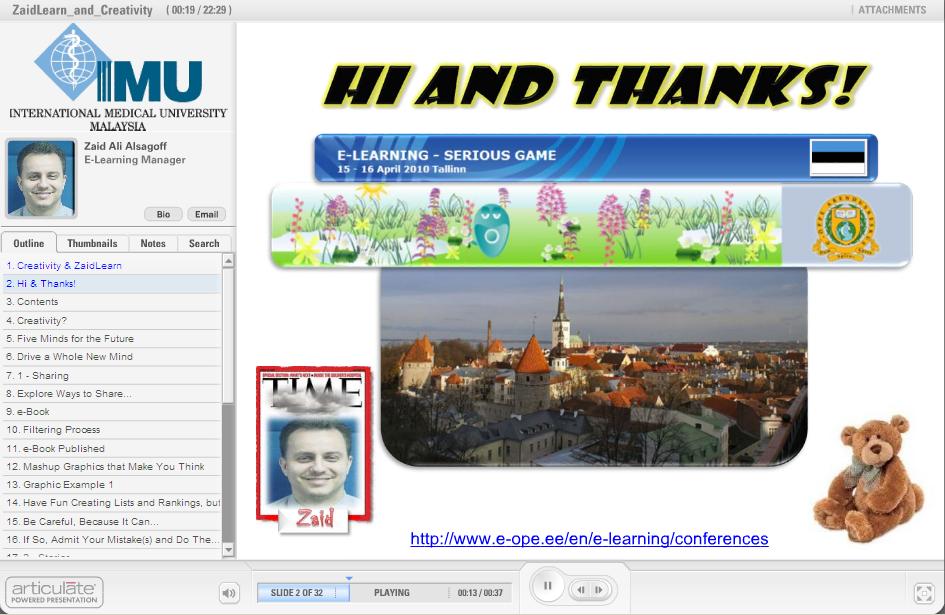
- RT01- Closed Book Exams Could Even Kill George the Jungle!
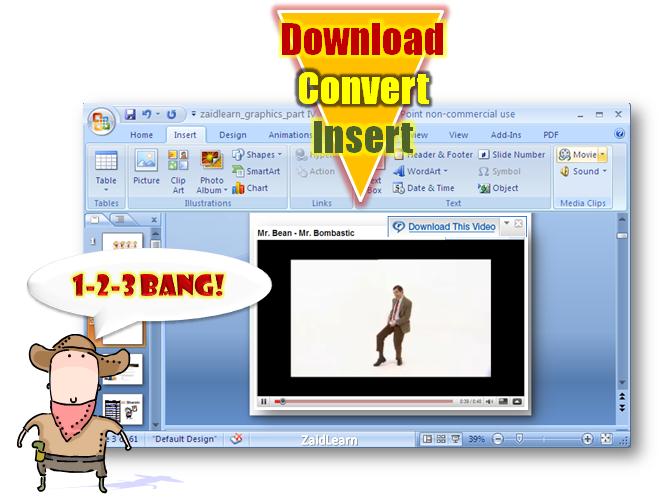
- The Real Way to Download-Convert-Insert YouTube Videos into PowerPoint!
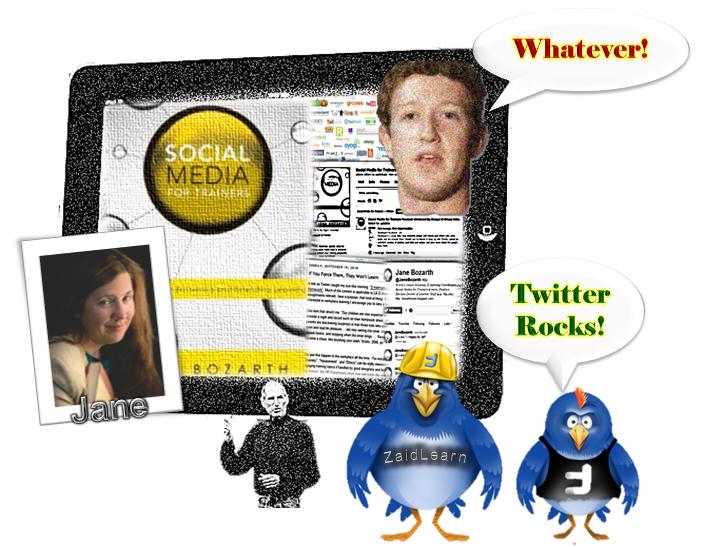
- Using Twitter to Amplify Connective Learning and Sharing at ICEL 2010

- My Most Satisfying PowerPoint Animation!
- Join the #moodlewish Twitter Stream!

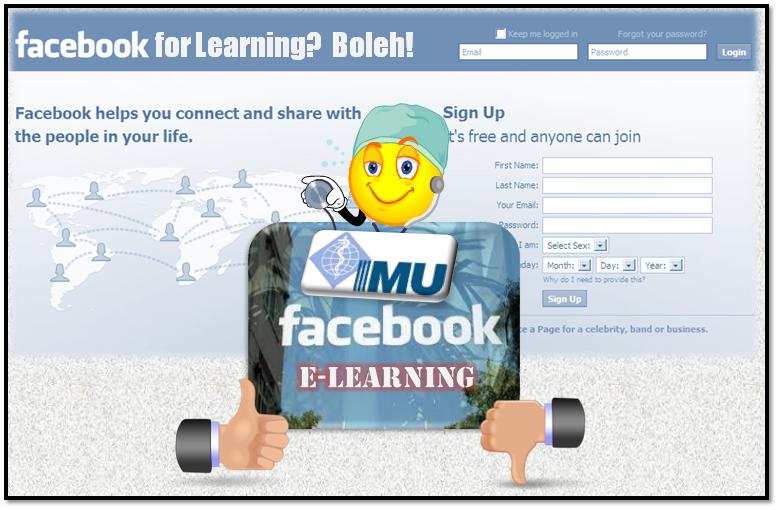
- Facebook for Learning? Boleh!
- My Estonian TED(dy) Talk - Creativity and ZaidLearn!
- The Secret Recipe to Delivering World Class Lectures
- Use Blooms Taxonomy Wheel for Writing Learning Outcomes
Do you have problems writing learning outcomes/objectives for your content or courses? Or more specifically, do you have trouble finding the right ACTION VERBS to describe what you want your students to achieve from the course, module, topic or unit? Try Blooms taxonomy wheel(s). - Moodle is an Airport, Not a Total Solution!
If you ask me, Moodle is a good meeting place (airport or space station), or a starting point where we get together to discuss and share ideas, before taking off using both inbuilt and integrated learning tools to experience engaging and enriching learning adventures beyond any single VLE can provide. - The Finnish Education System Rocks! Why?
This article (post) explores some of the secrets behind the world class Finnish education system. - Drop-By-Learning (DBL)
Today, educators seem busier than ever juggling teaching, research, and administration, and by providing them a drop-by-learning option, it will hopefully enable and motivate more educators to learn the skills needed to facilitate effective learning in the 21st century. - Go Online! Go Mobile! Lost in Space!

- Coaching Critical Thinking To Think Creatively!
"I very much enjoyed this article, a longish description of how the author (Zaid Alsagoff) revamped a critical thinking course. It wasnt so much the content of the article (though as someone who has taught critical thinking dozens of times I had an inherent interest). Rather, what interested me was the storytelling, the way the author let me into his thinking process. This isnt the sort of article that requires you to agree or disagree with it; we are clearly and entertainingly being told what was done, and why. Would he do it differently next time? Still, we can compare the thinking with our own, compare the process with our own - and thats exactly what I did, and why I enjoyed it. Be sure to click on the slide shows in Slideshare, such as this one." - Stephen Downes - Teaching Habits
In this 5-part series, I reflect specific teaching habits that inspire students out of learning. Is that possible? Here we go:
Part 1 - Whiteboard And I Are One!Part 2 - I Have Bragging Rights, Because I Am …Part 3 - Is PowerPoint Evil?Part 4 - No Stupid Questions! I am Serious!Part 5 - Show Up to Throw Up! 21st Century Thinking?
- E-Learning 2.0 Workshop (Stephen Downes)"It would be pretty hard to write a more comprehensive (and kind) summary of my workshop than this by Zaid Ali Alsagoff, who deserves by thanks for acting as my videographer and assistant during the strenuous two-day event. What I like about this post was that the lessons were meta - not so much the bits about web 2.0 technology discussed during the session, but rather about the attitude and perspective on teaching their deployment represents. In my own mind, what we accomplished was best represented in two photos, this one at the beginning of the first day, where everything was ordered and proper, and this one near the end of the second day, where real learning was happening." - Stephen Downes
- Learning Notes From an E-Learning 2.0 Implementation WorkshopThe main objective of this hands-on practical workshop was to develop an understanding of the implementation and application of e-learning technologies within an institution of higher education. Also, it explored several web 2.0 technologies that participants could use to develop a collaborative online learning space.
- Salman Khan Uses Microsoft Paint to Inspire Learning

- Crashing The Workshop To Capture A Great Learning Moment!

- 10 Secrets To Great Teaching (SlideShare presentation with audio narration)
- 2 Juicy Ways to Insert YouTube Videos into PowerPoint
3) Resource Lists
- A Free Learning Tool for Every Learning Problem?
A collection of the best free learning tools using a Q&A approach. It has proven to be the most popular post on this blog, and has been featured in more than a hundred blogs and sites around the world. Also, you might want to check out the delicious version, which includes more tools, but does not filter them out using a Q&A approach post. - University Learning = OCW + OER = FREE!
A compilation of 250+ University learning related OpenCourseWare (OCW) and Open Educational Resources (OER).
- 99 Free EduGames to Spice Up Your Course!
99 FREE EduGames (Educational Games) that sounds and looks interesting for Higher Education. - 101 Free Learning Tools
A SlideShare presentation exploring 101 excellent free learning tools to facilitate learning and teaching (+40,000 hits!). - The Best EDU Blogs on the Planet!
Check out this collection (of lists) of edublogs that will inspire you beyond your learning imagination. - The Juiciest Learning Professionals on Twitter?
The main reason for assembling this list is to help people looking for top learning professionals on Twitter. - A Growing List of Free Learning Tutorial Sites!
A simple raw list of links to EXCELLENT SITES (with short descriptions) that have or link to tutorials that explore learning tools and online learning. - Amazing Free e-Learning eBooks Collection
A collection of free e-Learning ebooks. - Free Screencasting Tools For Tony!
"Toast! Cut! Cam! Jing! Flow! Wink! You name it, they record it!" A list of free tools to create screencasts (screen-recording or capturing everything happening on the screen). - Any Free Hosted CMS or LMS? (Yes, Obama Says!)
A few free hosted LMS that you might want to explore, before considering investing hardcore money on a commercial alternative. - Any Free Online Survey/Polling Tools?
More than a dozen FREE online survey/polling tools. - 50 Web 2.0 Ways to Tell a Story (Alan Levine)
Alan Levine reviews lessons learned in exploring 50 web sites (tools) for creating content via slideshows, timelines, media mixers, comic strips, and presentation makers. - Do You Want To Learn English As A Second Language (ESL)?
A list of interesting ESL resources that I have discovered until now, and most of them are free. Whether you want ESL content for your IPod, or you want to do an online quiz to test your knowledge, trust me, there are enough resources to last you a few life times (and more). - The King Kong List For Free Medical Online Resources!
A juicy collection of free medical resources, games and courses that you might want to use for your personal learning, or embed in your course/training/program as supplementary or core resources to enrich the students learning experiences. - Your Top 10 Videos (That Inspire Us To Rethink The Way We Learn)?
My current top 10 list of videos that inspire us to rethink the way we learn and educate. This post also encourages others to list and share their top 10 favorite videos that inspire us to rethink the way we learn and educate in the 21st century. - Is Boltelicious Keyboard Skills Required To Facilitate Online Effectively?
To improve the success of any e-learning or online facilitation initiative, I believe it is vital that educators (and students) have good keyboard and typing skills (say at least 30+ words per minute), so that they can efficiently answer e-mails, forum posts, chat sessions, develop content, projects, assignments, and so on. This post include several free learning tools to improve your keyboard/typing skills.
4) Fun!
- iTunes U Services For ALL! Join the #itunesuwish...
- Warren Buffetts MBA Talk Vs Evolution of Dance
- From Public Speaking Class To CEO Of Google
- How Do You Motivate Staff? (Steve Ballmer)
- The World Is Flat 3.0 (Thomas Friedman)
- Scivee And The Origin Of Yes We Can!
- Blackle And My Inspirational Sandcastle Adventure!
- The Secret - Get 100.000+ Followers On Twitter In 24 Hours!
- TWIT Outshines Twitter In 2013!
Yep, this is basically the outline to my 2nd E-Book. Just need to add an introduction and conclusion and it is ready to be published to the world (or whoever is interested!). It is certainly an enhancement to the first one (filtering out really crap, adding it with better crap!).
Finally, what learning tool should I use to publish it (Scribd again)? Wouldnt it be cool, if we could simply add the blog post links, and on-the-fly an e-book will be generated, which we could then edit, add, and fine tune further. Do such publishing tools exist? Any suggestions?
The Secret Get 100 000 Followers On Twitter In 24 Hours!

"... Would you like to get 16,000 Followers in 90 days & Make Money doing it?"
...more
THE SECRET
What! You got to be kidding! I need to remove this dude as fast as possible from my list!
...more
THE SECRET
Why think so small! If you first want to think really big, you might as well go for it for real. I mean what is 16,000 followers (and in 90 days, come on! Peanuts, man!), even if it is a targeted audience to your personal, or company needs to generate traffic and revenue. Forget all the Twitter Gurus (for a few minutes!), and read carefully the secret to getting (Cant wait! Please, tell me know!)....
Lets be modest and assume on the average for every 10 persons you follow, at least one will follow you (no science involved, just assumption). This means that if you follow one million, you will eventually get 100,000 followers.
However, if you are following 1 million and have 100,000 followers, others with a bit of knowledge would think of you as a wannabe twitter king. So, then learning the game, you will eventually remove those 900,000 that did not follow you. Now it looks better, right! 100,000 Followers versus 100,000 Following. But then you get smarter, and remove 50,000 (or why not 90,000) of those you are following, and trust me they will have no idea, because who keeps track of these kind of things. And swoosh you have 100,000 followers, but you are only following say 10,000 now (Do no Evil!). Now that looks really impressive! Now, you are crowned a Twitter King! Actually, 100.000 followers is not much, so the next step would be to get 1,000.000 million followers. You repeat the 24-hour cycle again and again and again...
Wait a second! Where am I going to find one million people to follow on Twitter. Ashton Kutcher to the rescue! Currently, he has 2 million plus followers (as I write). So, if you speed off to click 2 million times (excluding clicking the Next buttons!), you should expect 200,000 followers within a 24-hour period. Even if you have to wait 2-3 days, I think you will survive. Next, you might go for Oprah (although she is only no. 7 on the top 100 Twitter Counter list), as you might find many new Twitter faces there who are not following Ashton Kutcher.
Wait a minute! How am I going to be able to click 2 million times within a 24-hour period? You need a good broadband connection for sure, and some Bruce Lee kind of chopping skills.
What if I told you that you only need to click a special MAGIC BUTTON once to follow all Ashton Kutchers followers, or any other person on Twitter you choose. Believe or not, the mastermind (will never reveal who!) behind this tool, is currently working on the ultimate magic button that will enable anyone to click once to follow every single soul on Twitter. Imagine following lets say 10 million people with one click.
Wait an hour! Cool, but how do I remove those people who eventually dont follow me, so that I dont look like a Twitter Twit! Well, what if I told you that there is a MAGIC REMOVE BUTTON that filters and removes all those people who are not following you, and has an amazing fuzzy semantic logic that can also strategically using a cosmetic target marketing feature to remove a certain specified number of your followers (to your own liking), so that you can really look like a Twitter King.
This mastermind (that I am not going reveal! Dont think of asking! I keep my word!) is in the early stages of conceptualizing a MAGIC GHOST BUTTON that will add you followers without them even knowing it. It is really smart, because it only targets people that follow more than a thousand Twitter users, making it difficult to track its ghost clicking activity.
I am ready! But, why dont you have more than +600 followers? Well, some people dont practice what they preach. I only target educators that I want to connect with (Following a 1,000+) and perhaps learn something from them...
However, if you are following 1 million and have 100,000 followers, others with a bit of knowledge would think of you as a wannabe twitter king. So, then learning the game, you will eventually remove those 900,000 that did not follow you. Now it looks better, right! 100,000 Followers versus 100,000 Following. But then you get smarter, and remove 50,000 (or why not 90,000) of those you are following, and trust me they will have no idea, because who keeps track of these kind of things. And swoosh you have 100,000 followers, but you are only following say 10,000 now (Do no Evil!). Now that looks really impressive! Now, you are crowned a Twitter King! Actually, 100.000 followers is not much, so the next step would be to get 1,000.000 million followers. You repeat the 24-hour cycle again and again and again...
Wait a second! Where am I going to find one million people to follow on Twitter. Ashton Kutcher to the rescue! Currently, he has 2 million plus followers (as I write). So, if you speed off to click 2 million times (excluding clicking the Next buttons!), you should expect 200,000 followers within a 24-hour period. Even if you have to wait 2-3 days, I think you will survive. Next, you might go for Oprah (although she is only no. 7 on the top 100 Twitter Counter list), as you might find many new Twitter faces there who are not following Ashton Kutcher.
Wait a minute! How am I going to be able to click 2 million times within a 24-hour period? You need a good broadband connection for sure, and some Bruce Lee kind of chopping skills.
What if I told you that you only need to click a special MAGIC BUTTON once to follow all Ashton Kutchers followers, or any other person on Twitter you choose. Believe or not, the mastermind (will never reveal who!) behind this tool, is currently working on the ultimate magic button that will enable anyone to click once to follow every single soul on Twitter. Imagine following lets say 10 million people with one click.
Wait an hour! Cool, but how do I remove those people who eventually dont follow me, so that I dont look like a Twitter Twit! Well, what if I told you that there is a MAGIC REMOVE BUTTON that filters and removes all those people who are not following you, and has an amazing fuzzy semantic logic that can also strategically using a cosmetic target marketing feature to remove a certain specified number of your followers (to your own liking), so that you can really look like a Twitter King.
This mastermind (that I am not going reveal! Dont think of asking! I keep my word!) is in the early stages of conceptualizing a MAGIC GHOST BUTTON that will add you followers without them even knowing it. It is really smart, because it only targets people that follow more than a thousand Twitter users, making it difficult to track its ghost clicking activity.
I am ready! But, why dont you have more than +600 followers? Well, some people dont practice what they preach. I only target educators that I want to connect with (Following a 1,000+) and perhaps learn something from them...
FOLLOWERS?
"(A Direct Message I seriously got from ....) So that I can be your Twitter Master ...(censored)... Read this & give me your unwavering devotion ;)"What! You got to be kidding! I need to remove this dude as fast as possible from my list!
I have revealed this amazing secret, but you must keep in mind that your Twitter tweets must be juicy, attractive, and all-in-all relevant, which means more followers, more traffic to your site, and eventually big bucks. Also, please avoid automating all these annoying direct messages that lack human touch. Moreover, if you do so, this amazing secret might be exposed to the world. If you have to do it, at least personalize them. Here is an example, "Hi Yoda! I love your blog, especially that post that reveals the secret of the secret. I am honored to be connected with you! Lets learn from each other! Cheers! Also, forget my blog, it is really boring!"
Finally, when you embark on your important mission to get 100,000+ followers (Too small, think millions! Think bigger than big!), remember to do it fast! If you are interested in using the magic buttons I have mentioned, please contact me... which of course cannot be revealed here. Please meet me on the MOON as soon as possible. Further directions will be given when you reach the moon.
Finally, when you embark on your important mission to get 100,000+ followers (Too small, think millions! Think bigger than big!), remember to do it fast! If you are interested in using the magic buttons I have mentioned, please contact me... which of course cannot be revealed here. Please meet me on the MOON as soon as possible. Further directions will be given when you reach the moon.
DEAL WITH IT!
I know that the Twitter community is incredible intelligent and they might expose this secret. But, Jack Dorsey and Biz Stone (or 3rd party developers) if you should ever read this post, please take this post seriously serious. Although, we have some filters to avoid this secret from happening (or do we?), I am foreseeing a Twitter learning space becoming a worse spam world than Hotmail was in the past (or still is? No idea, I am using Gmail! I wonder why!). Lets use our collective and creative intelligence to sort this out, so that this fictional story (or is it for real! You decide!) becomes ...
But then again, who cares about the number of followers you have! What really matters is the number of RETWEETS you have (Topsy will tell you!), and how many times they are being clicked, and so on. Also,... (some other time). Pay me well, and I will reveal :)

But then again, who cares about the number of followers you have! What really matters is the number of RETWEETS you have (Topsy will tell you!), and how many times they are being clicked, and so on. Also,... (some other time). Pay me well, and I will reveal :)
Thursday, February 26, 2015
How to Organize Your Files for the Week!
If you liked last weeks post about organizing your life with technology, youll love this weeks post as well! The winner of this weeks poll is how to organize your files for the week, using technology of course!

Heres the poll:

Before I go into organizing your files for the week, Im going to talk briefly about organizing your files digitally. I know its a wordy tutorial but I promise I have lots of good tips included!!!

Now for the tutorial... you definitely need to download Dropbox if you dont already use it! If you already use it, keep reading anyway because I have some little trick you still might enjoy!



You can download this tutorial as a PDF by clicking this picture!

Note: This tutorial is hosted on Google Drive. To save it from there, just open the file and click File > Download to save onto your computer!
The next Technology Tuesday post wont be until August 6... because Ill be vacationing with my hubby in Alaska celebrating our TEN YEAR anniversary (technically two years married, but 10 years since we started dating). How crazy is that?

Now, as for the poll... Ill be adding how to give any picture a moving/talking mouth!
Subscribe to:
Posts (Atom)