Showing posts with label firmware. Show all posts
Showing posts with label firmware. Show all posts
Thursday, February 5, 2015
ONYO Premium 7 0 ICS Android Tablet Firmware

ONYO PREMIUM 7.0 ICS
Android Tablet
Android Tablet
<
DOWNLOAD OFFICIAL FIRMWARE

Ainol Novo 8 mini Firmware Stock ROM
I uploaded another firmware, this is for Ainol Novo 8 mini. This tablet has a action chip. The tools is already included in the firmware so need to search for it.
First, Download the Firmware Here
Download Here
Newer Board --> Part 1
Newer Board --> Part 2
Newer Board --> Part 3
Newer Board --> Part 4
After Downloading, extract the files and Install Pad Product Tool 1.04. The driver is already included in the Pad Product Tool, so it will automatically install the driver for your device.
After installing the Pad Product Tool. Launch the Pad Product Tool 1.04. It should be located in your Desktop or Go to START > All Programs > Actions Tools > Pad Product Tool
The first time you launch it it will look for the ".fw" extension. Just look inside the firmware folder, or which folder you extracted the firmware. After loading the file just click on replace button.


And then add the system.img, rec.img, system.img. apk.img (see picture for your reference)

And press Down after you connect your tablet in computer. The Down button will be activated after you connect your tablet in the computer. Just a reminder do not exit the problem when it is flashing. This might brick your tablet and rendering it unuseable.

Note: You need to press and hold VOLUME UP when connecting your tablet in your computer.
I hope this tutorial will help you solve your problem. If you have any question just leave a comment below.
Read more »
First, Download the Firmware Here
Download Here
Newer Board --> Part 1
Newer Board --> Part 2
Newer Board --> Part 3
Newer Board --> Part 4
After Downloading, extract the files and Install Pad Product Tool 1.04. The driver is already included in the Pad Product Tool, so it will automatically install the driver for your device.
After installing the Pad Product Tool. Launch the Pad Product Tool 1.04. It should be located in your Desktop or Go to START > All Programs > Actions Tools > Pad Product Tool
The first time you launch it it will look for the ".fw" extension. Just look inside the firmware folder, or which folder you extracted the firmware. After loading the file just click on replace button.
And then add the system.img, rec.img, system.img. apk.img (see picture for your reference)
And press Down after you connect your tablet in computer. The Down button will be activated after you connect your tablet in the computer. Just a reminder do not exit the problem when it is flashing. This might brick your tablet and rendering it unuseable.
Note: You need to press and hold VOLUME UP when connecting your tablet in your computer.
I hope this tutorial will help you solve your problem. If you have any question just leave a comment below.
CUBE U25GT Dual Core Tablet Official Firmware
CUBE U25GT Dual Core Tablet Official Firmware
Chipset: (Rockchip)
Flashing Tool : RKBatchTool
DOWNLOAD OFFICIAL FIRMWARE
Wednesday, February 4, 2015
Cherry Mobile Flare S3 stock rom firmware to unbrick your phone
Hi,
This is my personal back up of Cherry Mobile Flare S3 ROM, the firmware or ROM is already Rooted with CWM installed when you are going to flash your phone. The version of this firmwre is v1.03. When flashing use the latest version of SPFlashtool.
Although some of my tutorial are from version SPFlashtool version 3.xxx, the procedure is still the same because the SPFlashtool that you are going to use is version 5.xxxx

You can fix the following issue in your phone:
1. Bootloop
2. Damaged System UI
3. TP Upgrade only
4. Dead phone but it is detected in computer
5. Remove Gmail Account / Password / Pattern Lock (Alternative Way)
"DOWNLOAD THESE FILES"
Firmware Here -->Cherry Mobile Flare S3 v1.03
"Use WinRar or 7zip to extract the firmware"
"Extract the files to your desired folder" See picture below"
"If you encounter error in flashtool, use different version of it."
Installing Driver
First try the Alternative Driver, which is the AutoInstaller. Just open the install.bat then it will automatically install the driver. Then proceed to flashing. If it did not work then proceed with VCOM driver that you had downloaded. Then install it manually follow the guide below.
Reference Video using Driver Auto Installer (watch in HD)
When installing it manually your phone must be turned off, then connect it to your computer/laptop while pressing VOLUME UP or VOLUME DOWN. This will detect and look for the driver.

1. This is the first time that you will connect your phone and it will search for the correct driver.


3. If the driver is successfully installed MediaTek DA USB VCOM will appear in the New Hardware Wizard.
Video Flashing your phone (please watch in HD)
Flashing

Reference Video Using FlashTool version 5.xxx (watch in HD)
3. After you load the file, press F9 or Press Download to Flash your Phone.If you encounter PMT_Changed error here is what you do:In Older Version of FlashTool
I hope this tutorial help you. Please drop a comment if something is not clear to you.
Read more »
This is my personal back up of Cherry Mobile Flare S3 ROM, the firmware or ROM is already Rooted with CWM installed when you are going to flash your phone. The version of this firmwre is v1.03. When flashing use the latest version of SPFlashtool.
Although some of my tutorial are from version SPFlashtool version 3.xxx, the procedure is still the same because the SPFlashtool that you are going to use is version 5.xxxx
You can fix the following issue in your phone:
1. Bootloop
2. Damaged System UI
3. TP Upgrade only
4. Dead phone but it is detected in computer
5. Remove Gmail Account / Password / Pattern Lock (Alternative Way)
"DOWNLOAD THESE FILES"
Firmware Here -->Cherry Mobile Flare S3 v1.03
VCOM Driver -->VCOM Manual
Alternative Driver --> AutoInstaller
Alternative Driver --> AutoInstaller
SPFlashTool --> LatestVersion
"Use WinRar or 7zip to extract the firmware"
"Extract the files to your desired folder" See picture below"
"If you encounter error in flashtool, use different version of it."
Installing Driver
First try the Alternative Driver, which is the AutoInstaller. Just open the install.bat then it will automatically install the driver. Then proceed to flashing. If it did not work then proceed with VCOM driver that you had downloaded. Then install it manually follow the guide below.
Reference Video using Driver Auto Installer (watch in HD)
When installing it manually your phone must be turned off, then connect it to your computer/laptop while pressing VOLUME UP or VOLUME DOWN. This will detect and look for the driver.
1. This is the first time that you will connect your phone and it will search for the correct driver.
2. Check include this location ... ... and click on browse. Look for USB VCOM Driver and Click on 2K_XP_COM folder if you are using Windows XP or Win7 for Windows 7 and then press OK when you are done picking the right folder for the driver.
3. If the driver is successfully installed MediaTek DA USB VCOM will appear in the New Hardware Wizard.
Video Installing VCOM Driver (please watch in HD)
Video Flashing your phone (please watch in HD)
"Your Phone must be turned off when you are ready to connect and flash your phone"
Flashing
1. Launch FlashTool
2. Click on Scatter-Loading, and load your scatter file. (see example below with loaded file in Flash Tool
Reference Video Using FlashTool version 5.xxx (watch in HD)
3. After you load the file, press F9 or Press Download to Flash your Phone.
4. If Download is not possible, you can press Firmware Upgrade.
5. After you press Download or Firmware Upgrade re-insert your battery and connect your Phone to the PC. Press Volume Down or Volume Up while connecting to PC.
Some workarounds:
Load the scatter fileClick in Format (a new menu will popup)Make sure that you select Format whole flash except bootloader then press OKConnect your phone in bootmode (Turn off your device then hold Volume UP or VOLUME DOWN then insert USB)It should detect your phone and continue to flash.Then Click Download to fully flash your phone.Hard Reset your phone after flashing.
- Load the scatter file
- Choose Format + Download (Underneath Scatter-loading file)
- Then Click Download and wait until it is done flashing
For Invalid IMEI:Your Phone/Tablet must be rooted first
Restore yong IMEI in MTKDroidTools version 2.5.3. You will have this error when you format your phone in Flashtool as I had experienced. To restore download MTKDroidTools version 2.5.3 After you extract the file. Open the green robot, you must enable the usb debugging in your phone. It is usually located in Settings>Devoloper Mode then look for usb debugging. After enabling it. Connect your phone in your computer then in MTKDroidTool click on ROOT. Wait for it to finish, then Click in IMEI/NVRAM, input 15 number in each box. Then click REPLACE. Then click Reboot or you can manually turn off your phone. Then turn your phone on again. You can see that you have fully restored your IMEI.
Restore yong IMEI in MTKDroidTools version 2.5.3. You will have this error when you format your phone in Flashtool as I had experienced. To restore download MTKDroidTools version 2.5.3 After you extract the file. Open the green robot, you must enable the usb debugging in your phone. It is usually located in Settings>Devoloper Mode then look for usb debugging. After enabling it. Connect your phone in your computer then in MTKDroidTool click on ROOT. Wait for it to finish, then Click in IMEI/NVRAM, input 15 number in each box. Then click REPLACE. Then click Reboot or you can manually turn off your phone. Then turn your phone on again. You can see that you have fully restored your IMEI.
"Hard reset your phone after flashing"
I hope this tutorial help you. Please drop a comment if something is not clear to you.
Tuesday, February 3, 2015
Cube U9GT5 Quad core Tablet Firmware
Cube U9GT5 Quad core Tablet Firmware
Chipset : Rockchip
Flashhing Tool : RKBatchTool
DOWNLOAD OFFICIAL FIRMWARE
Zopo ZP1000s Smartphone Firmware
Zopo ZP1000S Smartphone Firmware
Android Smart Phone
Android 4.4.2
DOWNLOAD OFFICIAL ROM
Monday, February 2, 2015
Nexus 7 Mobile nakasig Factory firmware
Nexus 7 (Mobile) "nakasig" Factory firmware.
DOWNLOAD OFFICIAL ROM
Sunday, February 1, 2015
Nexus Q tungsten 4 0 4 Factory Firmware
Nexus Q "tungsten" 4.0.4 Factory Firmware.
DOWNLOAD OFFICIAL FIRMWARE
Enet E701 Allwinner A13 Android Tablet firmware support
Enet E701 Android Tablets firmware support
Specification.
- Model Enet E701
- System Google Android 4.04
- Storage 4GB/8GB (NAND FLASH)
- CPU 1.2Mhz ARM Cortex-A8 FRQ
- Boxchip Allwinner A13
- RAM 512MB DDR
- Display 800*400
- Touch 7" Capacitive Screen 5 Points Touch
- GPU Mail-400 3D Graphic Card
- Battery 3000mah Lithium battery
- Network WIFI+Extemal 3G USB Modem/Extemal RJ45
- Languge Arabic,English,French,Chinese,etc.23 Language
Tablet Flashing Tools and Tutorials
Flashing Tool :LiveSuit Pack
Flashing Tutorial:how to flash tablet with Livesuit
Recommended Tools
Recommended Tools
Other good Tools : Android Multi Tools (you can also use this Tool)
Software Installation Guide.
1. Forgotten Pattern Lock ,
2.Too many pattern attempt / Reset user lock
3. Android Tablet stuck on Gmail account
4. Android Tablet stuck on Android logo
5.Android Tablet hang on startup
you can use this Android Tablet firmware ROM to make your Android China tablet working again . Make sure to charge battery . Power failure during flashing may result dead or broken tablet.
Flashing stock firmware should be last option.
Download :
DOWNLOAD ANDROID FIRMWARE
Saturday, January 31, 2015
VOYO V909 2013 5 27 Tablet firmware
VOYO V909 2013 5.27 Tablet firmware
Firmware Description:
Firmware version 5.20
download TF card ready prelude
DOWNLOAD OFFICIAL FIRMWARE
iJoy Neon 7inch AMLOGIC Tablet Android Firmware
i-Joy Neon 7 inch Amlogic Tablet Android Support , Firmware & Installation
Tablet Specifications:
LCD | 7" Capacitive Touch Screen 5 Points |
Screen Resolution | 800x480 |
Processor | 1.2 Ghz Amlogics 2726 GPU Mali 400 Dual Core |
Chipset / Boxchip | AMLOGICS |
RAM | 1 GB DDR3 |
Built in Memory | 8 GB |
External Memory | Support Micro Card (MAX. 32GB) |
Wifi | 802.11 b/g/n supported |
Blue tooth | N/A |
3G | Support USB 3G Dongle, EVDO/WCDMA |
Camera | 0.3 MP Front |
HDMI | 1.4 + Micro Usb |
Speaker | N/A |
Weight | 300g |
Android Version | 4.1 |
Battery | 3.7V (5Hrs) |
Technical Support .
The following firmware / ROM file will be used when your tablets facing various problems . In case of
1. Forgotten Pattern Lock ,
2.Too many pattern attempt / Reset user lock
3. Tablets stuck on Gmail account
4. Tablet Android stuck on Android logo
5.Android Tablet hang on startup
you can use this Tablet firmware , Android Software to make your Android China tablet working again .
Flashing stock firmware should be last option.
Additional Downloads :
Flashing Tools are added in Download file.
Download Android Software
Friday, January 30, 2015
Bmorn X1 Tablet Firmware
Bmorn X1
Allwinner A13
Android Tablet Firmware,Software & Tutorials.
Bmorn X1 is 7 inch Allwinner A13 CPU based Android tablet ,with built in 8gb and 512MB Ram this tablet has all the stunning features.
How to flash Bmorn Tablets ?
As above stated Bmorn X1 is Allwinner A13 CPU based china android tablet . If your tablet generating multiple errors ,stuck on gmail, hang on android logo or boot loop you must hard reset or flash your android tablet. Allwinner Tablets flash with Livesuit Flashing Tools . Download firmware from below for tablet and follow the tutorials.
before start flashing Basic steps for flashing tablet firmware for newbies.
Livesuit Flashing Tutorials .
- LiveSuit Tutorial : how to flash tablet with LiveSuit
- Phoenixcard Tool:Firmware update instruction with microSD card
You can also use : Android Multi Tools
DOWNLOAD Tablet FIRMWARE.
Thursday, January 29, 2015
MaPan F10B Cortex A8 Tablet Firmware
MaPan F10B (Cortex A8 Flytouch 6 and Flytouch 8)
DOWNLOAD OFFICIAL FIRMWARE
CUBE U10GT Rockchip RK2918 Tablet Firmware
CUBE U10GT Stock Rom .
Rockchip RK2918 based CPU
4.0 2012 4. 16 Firmware
 |
| Rockchip Logo is property of Respective Owners. |
Cube U10GT Rockchip based tablet.
Read article about Rockchip CPU on Wikipedia
If you are new them you must read the following posts.
What board ID , Tablet CPU Chip ,Firmware Number does my Tablet have ?
Read article about Rockchip CPU on Wikipedia
If you are new them you must read the following posts.
What board ID , Tablet CPU Chip ,Firmware Number does my Tablet have ?
Frequently Asked Question about Android Tablets
When I need to Restore or Reset my Android Tablet Pc?
1. Forgotten Pattern Lock .
2.Too many pattern attempts / Reset user lock.
3. Tablets PC stuck on Gmail account.
4. Android Tablets PC stuck on Android logo.
5. Tablet Android hang on start up / Multiple errors generating by OS.
6. Android Market having problems or generating errors.
7.Upgrading to new Android OS.
Instructions:
6. Android Market having problems or generating errors.
7.Upgrading to new Android OS.
Instructions:
you can use this Android Tablet firmware, Stock ROM to restore your Android China tablets to generic firmwares or upgrades . Make sure to charge battery . Power failure during flashing may result dead or broken tablets.
.
.
Note : Flashing generic tablet firmware should be last option.
Flashing Tutorials :
Read Before : Flashing Tutorial for Rockchip
Download Flashing Instructions : PDF
SD Card Flashing Too : Tutorial and Tool
Drivers for Rockchip:
Download Drivers for Rockchip tablets
Flashing Tools:
Download: RKbatch Tool
Recommended Tools:
you can also use:Android Tools for Rockchip TabletsDownloads:
firmware + flasher tool + USB Driver +video Manual Too Get and Enjoy More on the way !!!!
Wednesday, January 28, 2015
Zenithink C71A 7 8GB Android4 1 2013 06 15 V1 3 With HDMI Firmware
C71A (7"+8GB) Android4.1 2013-06-15 V1.3 With HDMI
This version suits to C71A model with barcode C71A-H-8GB-
xxxxxx and HDMI port.
Using TF card
First extract the firmware which you get or download, then copy the whole "zt-update" directory into the root directory of TF card.
Shutdown your tablet and put the TF card into TF card slot, then hold the power-on button for 5-10 seconds, then you will see Upgrading logo, the machine will be installed the firmware and then reboot automatically.
Note: keep charged when the machine is being installed the firmware.
Please do remember to take your TF card out after upgrading because this version include the automatical script file.
DOWNLOAD OFFICIAL 4.1
Tuesday, January 27, 2015
BLUETECH MM977 Tablet Firmware
BLUETECH MID700GBT001 Tablet Firmware Download.
VIA 8650 Chip
Tablet Specifications:
Chipset : VIA8650
CPU Clock. 800MHZ+300MHZ
256MB RAM
ANDROID 2.2
2 GB Flash Memory
0.3 MP Cam
7" TFT Touch screen
800 X 480 Resolution
WIFI 802,11b/g
Blutetooth
16GB Card support
How to Flash/Update/Restore Bluetech Tablets ?
- Download firmware.
- Copy all contents to microSD card.
- Turn off tablet Pc .
- Insert Card .Turn on Tablet
- Upgrade process will be start.
- Make sure to fully charge tablette .
DOWNLOAD OFFICIAL FIRMWARE
Monday, January 26, 2015
IJOY JADE ANDROID TABLET FIRMWARE STOFTWARE
I-JOY JADE ANDROID TABLET FIRMWARE
Specifications:
LCD | 7" Capacitive Touch Screen |
Screen Resolution | 800x400 Pix |
Processor | 1.2 Ghz ARM CortEx A8 |
Chipset / Boxchip | Allwinner |
RAM | 512 MB DDR3 |
Built in Memory | 4 GB |
External Memory | Support Micro Card (MAX. 32GB) |
Wifi | 802.11 b/g/n supported |
Blue tooth | N/A |
3G | Support USB 3G Dongle, EVDO/WCDMA |
Camera | 0.3 MP Front |
HDMI | 1.4 |
Speaker | N/A |
Weight | 330g |
Android Version | 4.0 |
Flashing Tool | Download : LiveSuit Pack |
Flashing Tutorials | see Tutorial : how to flashing tablet with Livesuit |
Android Tablet |
You can also use Multi tools to wipe rom : Android Multi Tools
Note :
The following firmware / ROM file will be used when your Android tablet facing various problems . In case of
1. Forgotten Pattern Lock
2.Too many pattern attempt / Reset user lock
3.Android Tablet stuck on Gmail account
4. Android Tablet stuck on Android logo
5. Android Tablet hang on startup
you can use this Android Tablet firmware ROM to make your Android China tablet working again . Make sure fully charge battery otherwise power failure may result dead or broken android tablet.
Flashing stock firmware should be last option.
Download :
DOWNLOAD OFFICIAL FIRMWARE
TWD MID Allwinner A13 Single Cam Android Tablet PC Firmware
Allwinner A13 TWD_MID Single Cam
Board ID :TW-A708 V50 0903
CP 5650 1232 RXS
Firmware Software
Tablets Recovery , Tablet PC Restore , Android Tablet Upgrade Instructions
How to check board id of Tablet
Board ID :TW-A708 V50 0903
CP 5650 1232 RXS
Firmware Software
Tablets Recovery , Tablet PC Restore , Android Tablet Upgrade Instructions
How to check board id of Tablet
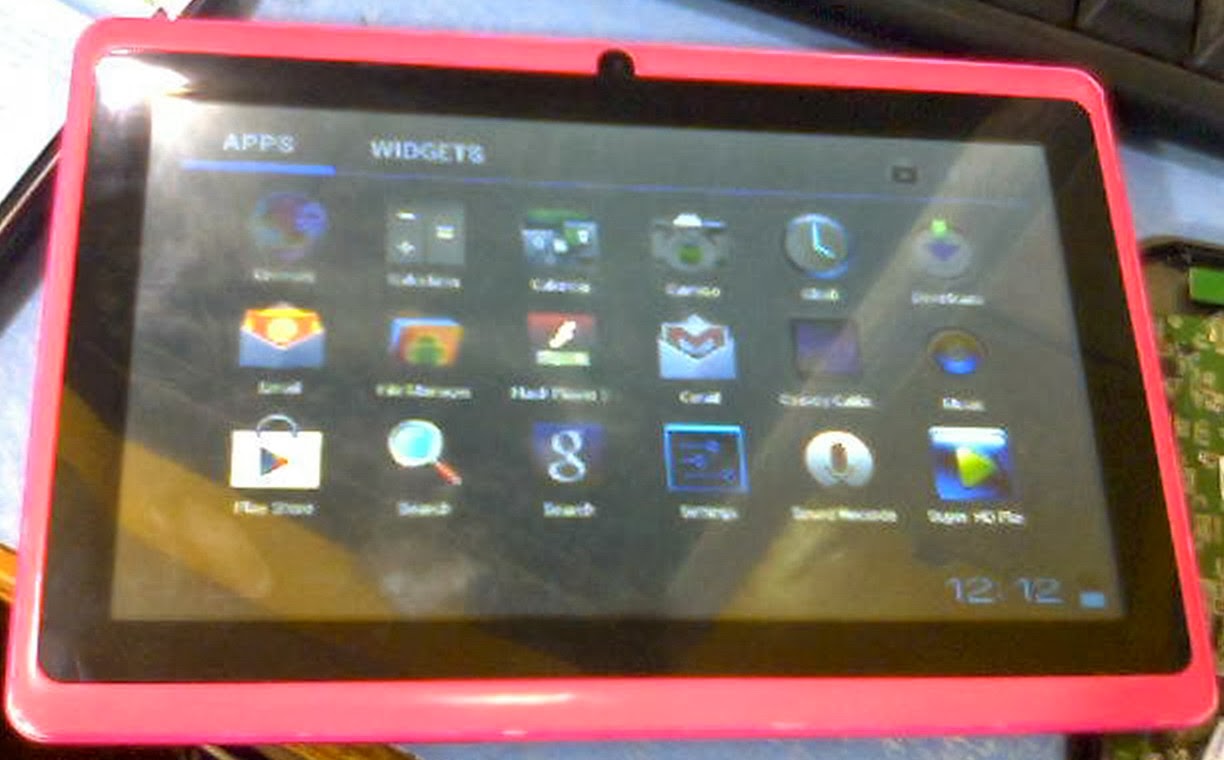
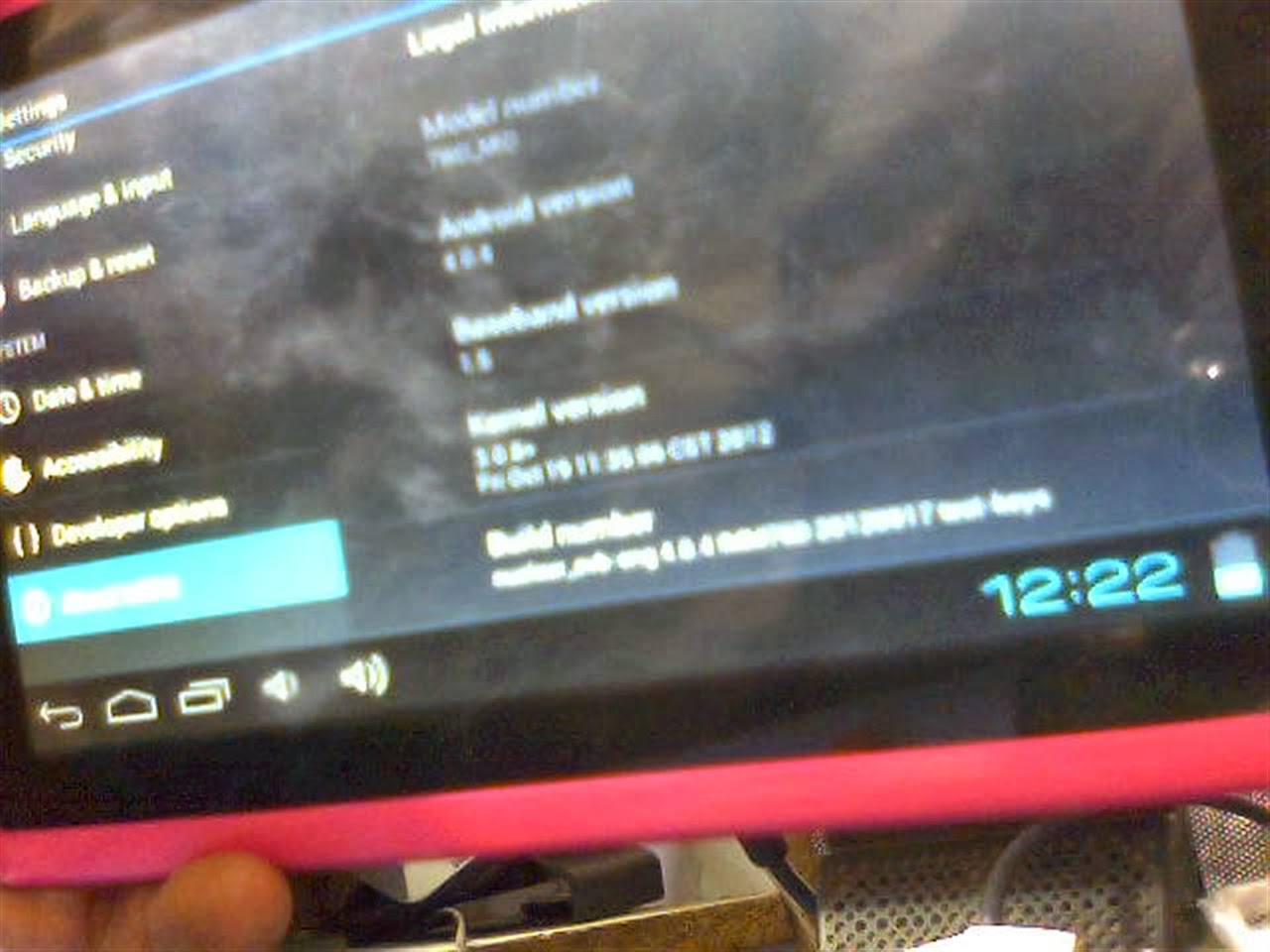
I have flash this tablet personally and firmware restore was successful with below mention firmware.
 |
| TWD_MID 7 Inch |
 |
 |
| Board ID :TW-A708 V50 0903 |
 |
| Allwinner A13 Chipset |
 |
| Flashing Done . Tablet working perfect |
Allwinner TWD_MID Tablet is 7 inch Tablets . No brand found on tablet so I can call it Blank Id tablet but inside Chipset is Allwinner A13. Carrying Android 4.0.4 TWD_MID is basic tablet with frontal cam , 1.2 Ghz processor ,512mb Ram along with capacitive touch . I have flash this tablet personally and firmware restore was successful with below mention firmware.
Read Article About Allwinner Technology
Tablet PC Specifications:
Brand : Unknown
Model: TWD_MID
LCD | 7 inch Capacitive multi touch Screen |
Screen Resolution | 800 x 600 Pix |
Processor | 1.6 Ghz |
Chipset / Boxchip | Allwinner 13 |
RAM | 512 MB |
Built in Memory | 4 GB |
External Memory | Support Micro Card (upto 16 GB) |
Wifi | 802.11 b/g/n supported |
Bluetooth | available |
Sim | N/A |
Camera | 0.3 Megapixel front |
HDMI /3g Dongle | Support 3G Dongle |
Microphone | Built IN |
Weight | 285 g |
Android Version | 4.0.4 |
4 Hours Battery Time |
Tablet Flashing Tools:
- Tablet Flashing Tool : Firmware upgrade tool LiveSuit & Drivers
- Tablet Flashing Tool: Firmware upgrade Tool Phoenix Usb Pro
- Flashing with SD Card:Firmware update instruction with microSD card
Flashing Tutorials for Allwinner Tablets:
- LiveSuit Tutorial : how to flash tablet with LiveSuit
- Phoenix Usb PrO Video Tutorial :Tutorial
Recommended Tools for Common Tablet Issues:
You can also use : Android Multi Tools
Common Android Tablets issues :
The following firmware , ROM file will be used when your Android tablet facing various problems .
1. Forgotten Pattern Lock on Android Tablets.
2.Too many pattern attempts / Reset user lock.
3. Tablets PC stuck on Gmail account.
4. Android Tablet PC stuck on Android logo.
5. Tablet Android hang on start-up / Multiple errors generating by OS.
6. Google play store having problems or generating errors.
7.Upgrading to new Android version.
6. Google play store having problems or generating errors.
7.Upgrading to new Android version.
you can use this Android Tablet firmware, ROM to restore your Android China tablets to generic firmwares or upgrades . Make sure to charge battery upto 60%. Power failure during flashing may result dead or broken tablets.
Note : Flashing generic tablet firmware should be last option.
Download Compatible Firmware
Subscribe to:
Posts (Atom)